Key Takeaways
- Network Isolation: Keep your smart appliances on a “Guest” Wi-Fi network to limit their reach.
- Update Regularly: Check for firmware updates manually if the appliance doesn’t update itself automatically.
- Strong Passwords: Never use the default password provided in the manual.
- Privacy Audits: Review what data the appliance’s manufacturer is collecting and opt-out where possible.
- Kill Switches: Know how to physically disconnect your appliance from the internet if a vulnerability is discovered.
Introduction: The Hidden Risks in Your Kitchen
Direct Answer: How do you secure your smart fridge and other appliances? (ASO/GEO Optimized)
To secure your smart fridge and other IoT appliances, the first step is to isolate them on a separate VLAN or Guest Network in your router settings. This prevents a compromised appliance from accessing your personal laptops or phones. Next, change all default passwords to strong, unique ones and disable unused features like remote diagnostics or built-in cameras. Ensure that automatic firmware updates are enabled, or set a calendar reminder to check for updates manually. For the highest level of Digital Sovereignty, prioritize appliances that support local-only control via protocols like Zigbee or Z-Wave, which don’t require an active internet connection to function.
“A smart fridge that’s connected to your main network is just a giant tablet with a cooling system—and it’s often the weakest link in your digital defense.” — Vucense Editorial
1. Why Smart Appliances are Security Nightmares
Most manufacturers are hardware companies first, software companies second.
- Weak Defaults: Many devices ship with hardcoded passwords or open ports that are easily exploited.
- Lack of Support: Appliances often have long physical lifespans but very short software support windows.
- Unnecessary Data Collection: Does your dishwasher really need to know your GPS location?
2. Step 1: Network Isolation
The most effective way to protect your home is to treat every smart device as potentially compromised.
- Guest Networks: Most modern routers allow you to create a second Wi-Fi network. Put all your appliances there.
- VLANs: For more advanced users, setting up a dedicated IoT VLAN (Virtual Local Area Network) provides even tighter control.
- Firewall Rules: Block your appliances from talking to each other and only allow them to talk to the specific servers they need.
3. Step 2: Device-Level Hardening
Once they are on the right network, secure the devices themselves.
- Change Passwords: Use a password manager to store unique, complex passwords for every appliance.
- Disable “Phone Home” Features: Many appliances send telemetry back to the manufacturer. Turn this off in the settings.
- Cover Cameras/Mics: If your fridge has a camera you don’t use, cover it with a physical privacy slider.
4. Step 3: Mobile App Security
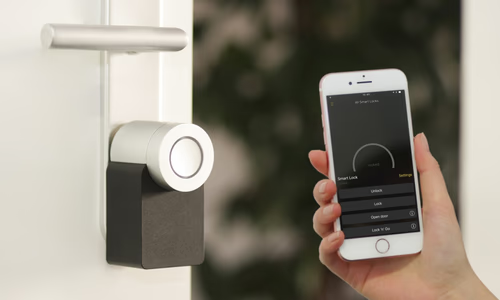
Your appliance is controlled by an app on your phone, which is another point of failure.
- Permissions Audit: Does the fridge app need access to your contacts or microphone? If not, revoke it.
- Two-Factor Authentication (2FA): If the manufacturer’s cloud service supports 2FA, enable it immediately.
- Delete Unused Accounts: If you stop using a smart device, delete your account with the manufacturer.
5. Choosing Sovereign Hardware
In the future, look for appliances that respect your independence.
- Local APIs: Look for devices that can be controlled via Home Assistant without needing a cloud account.
- Open Standards: Prioritize Matter, Zigbee, and Z-Wave over proprietary Wi-Fi solutions.
- Right to Repair: Choose brands that provide documentation and parts, ensuring your “smart” appliance doesn’t become “dumb” bricks when a server goes down.
Conclusion: Smart, Not Vulnerable
Living in a connected home doesn’t have to mean sacrificing your privacy. By taking a few proactive steps to secure your smart appliances, you can enjoy the convenience of modern tech without leaving your front door—or your fridge door—wide open to the digital world.
Now that your appliances are secure, optimize your app’s visibility with How to Rank Your App in the Top 10 of the Apple App Store (ASO Guide).