
Summary: shifting from assistant to operating layer
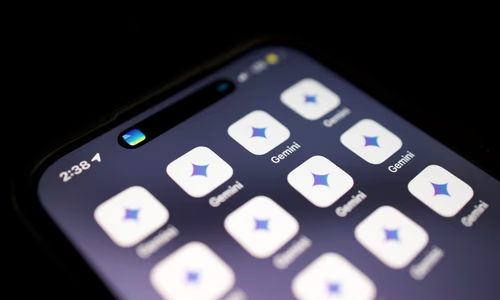
At Google I/O 2026 and in recent product rollouts, Gemini moved beyond a chat interface toward an operating layer that sits across apps, devices, and daily workflows. The platform’s Personal Intelligence remembers context, Scheduled Actions run automation on a schedule, and the newly announced Create My Widget feature lets users “vibe-code” small, functional UIs by describing what they want in natural language. Official product notes are available on the Google blog Gemini Intelligence on Android and coverage of the widget feature is in TechCrunch’s reporting here.
Taken together, these moves reshape the mobile experience: instead of jumping between focused apps, users interact with an intelligent layer that reads, synthesizes, and acts on their data across Gmail, Calendar, Keep, and third-party apps (as Android Police’s hands-on feature argues, see Android Police coverage).
The productivity case: why this matters
Three practical benefits stand out:
- Context continuity: Gemini’s memory and connected extensions allow conversations to persist across sessions and devices, reducing repetition and friction when working across multiple tools.
- Reduced app switching: By surfacing answers and actions inline (e.g., summarizing emails, creating tasks, or building a widget), Gemini reduces the cognitive cost of toggling between apps.
- Accessible customization: Create My Widget brings bespoke, small UIs to mainstream users without requiring developer skills — an important democratization of personalization.
These benefits are tangible: Android Police’s review shows how scheduled morning briefs and smart playlists can replace repetitive manual steps, and TechCrunch demonstrates how nontechnical users can create meaningful home-screen experiences through a few natural-language prompts.
The vibe-coding moment: UX meets prompt-driven design
Create My Widget is the clearest consumer-facing example of what developers have called “vibe coding”: iterating with generative AI through prompts rather than manual coding. For many users, this is a win — they can surface precisely the data they care about (flight details, meal plans, or cycling weather) as a persistent widget.
At the same time, the mainstreaming of prompt-driven UI raises new questions: who controls the data flows that power these widgets? How are permissions communicated and revoked? And what happens when users rely on generated UIs for critical workflows without understanding their provenance?
Privacy, consent, and transparency risks
Google emphasizes opt-in controls and privacy features for Gemini integrations, but practical risks remain. Widgets often need access to multiple data sources — email, calendars, notes — and implicit linking of these sources can surface sensitive information in unexpected contexts. Android Police’s reporting highlights early user concerns about data review and retention; developers and product managers must design clear consent flows and easy revocation paths.
Provenance is also essential. If a generated widget writes or updates data (e.g., scheduling calendar items), users should be able to inspect the prompt and confirm the intended change. For teams building on top of Gemini, logging prompts and model versions helps with debugging and with meeting regulatory or enterprise compliance requirements.
Developer and ecosystem implications
For app teams, Gemini is both opportunity and disruption. On one hand, developers can expose app features to higher-order automation without building bespoke UI: a weather API can power countless user-defined widgets. On the other hand, developers must handle an influx of unexpected access patterns and validate that automation respects rate limits, privacy, and data quotas.
Platform teams should provide:
- Clear permission scoping (read vs write, token scopes).
- Rate-limit and quota contracts for programmatic widget generation.
- A provenance API that surfaces the prompt text and model metadata when a generated UI takes action.
These primitives help enterprises accept Gemini-powered experiences without sacrificing security or supportability.
Human-centred guardrails and the link to developer craft
The consumerization of vibe-coding also mirrors workplace concerns we documented in our analysis of AI-driven workflows — see our feature on skill atrophy and vibe-coding When ‘Vibe Coding’ Breaks the Brain. Organizations adopting AI-generated interfaces should avoid treating AI-use as an outcome in itself. Instead, track outcomes (maintainability, user satisfaction, incident rate) and ensure teams retain ownership of architecture and UX.
Practical guardrails for product teams include requiring provenance for generated UIs, sandboxing write-capable actions behind explicit confirmations, and including a “why this widget” explanation visible to users that describes data sources and the prompt used to create it.
What users should do today
- Opt-in selectively. Connect Gemini to only the apps you trust for the use case.
- Scope permissions tightly. Prefer read-only widgets until you understand behavior.
- Save prompts. Keep a short record of the prompt used to create a widget; it helps when behavior changes.
- Validate edges. Test generated widgets against unusual inputs and offline scenarios before relying on them for critical reminders.
Conclusion: productivity with responsibility
Gemini Intelligence on Android represents a major step toward an AI-powered productivity layer on mobile devices. Create My Widget brings vibe-coding to consumers, enabling quick, personalized UIs that can save time and reduce friction.
The opportunity is real — but so are the trade-offs. Producers and platform teams must prioritize clear consent, provenance, and operational guardrails. Developers and organizations must treat AI as an assistive layer, not a replacement for human ownership of design and infrastructure. Done well, Gemini can make daily workflows far more fluid; done poorly, it risks creating opaque automation and eroding user control.
Sources & further reading
- Android Police — Google is quietly turning Gemini into a productivity OS: https://www.androidpolice.com/google-is-quietly-turning-gemini-into-productivity-os/
- Google Blog — A smarter, more proactive Android with Gemini Intelligence: https://blog.google/products-and-platforms/platforms/android/gemini-intelligence/
- TechCrunch — Google’s ‘Create My Widget’ feature will let you vibe-code your own widgets: https://techcrunch.com/2026/05/12/googles-create-my-widget-feature-will-let-you-vibe-code-your-own-widgets/